

Bay booking and waivers, built for simulators.
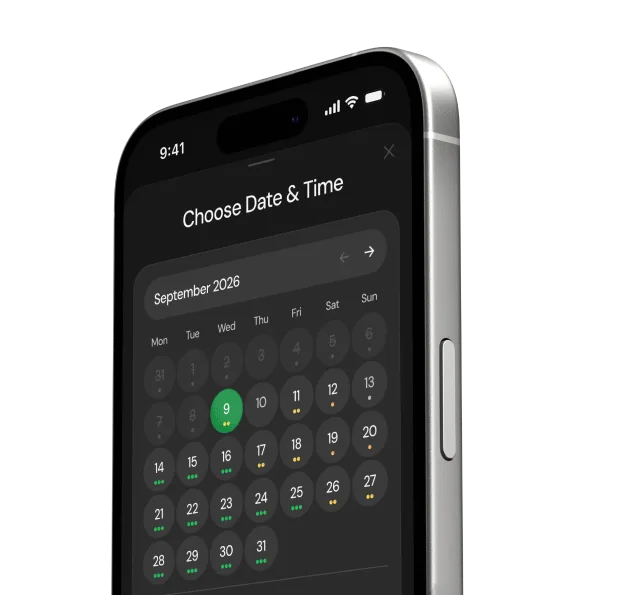
Hourly bays, group sizes, deposits and signed waivers in one booking flow. Customers book on a phone in under 30 seconds, with no app download.

The short answer.
Birdie is bay booking software for golf simulator venues. Customers pick a bay, a time and a group size, pay at checkout and sign the waiver online, on any phone. Appointment tools sell fixed slots; Birdie sells hourly bay time, with group pricing, peak and off-peak rates and add-ons built in.
- Real-time availability per bay
- Group-size pricing
- Add-ons at checkout
- Waivers signed online

Priced by the hour.Not by the appointment.
Bay time is worth more at 6 PM on a Friday than at 2 PM on a Tuesday. Birdie prices every slot by its window and by the size of the group.
Sample booking flow
Start time · Friday
Length (h)
Players
 Example pricing — you set your own rates.
Friday · rate by hour
- $382 PM
- $383 PM
- $384 PM
- $525 PM
- $686 PM
- $687 PM
- $628 PM
- $629 PM
- Off-peak
- Evening
- Peak
- Late
 Friday, Sep 9
 2:00 PM- 3:00 PM · 1 hour
 4 players
$38
Four players. Four signatures. Before tee time.
Waivers and membership agreements are signed online, with versions. Customers sign as part of booking or from their customer portal.
- Versioned
Every signature is tied to the waiver version the customer agreed to.
- Customer portal
Sign in with a one-time code to book, check hours and balances, update cards and sign waivers.
- Minors
If you allow players under 18, a parent or guardian must sign on their behalf.

One booking. Four ways to get paid.
Set the rule per booking type. Payment runs inside the booking flow through Stripe, Square, Clover or Helcim. No redirect.
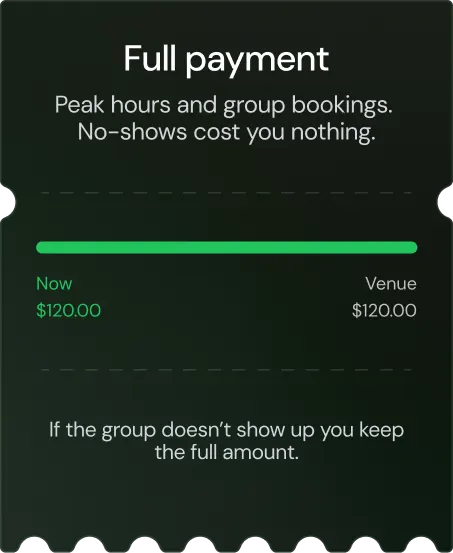
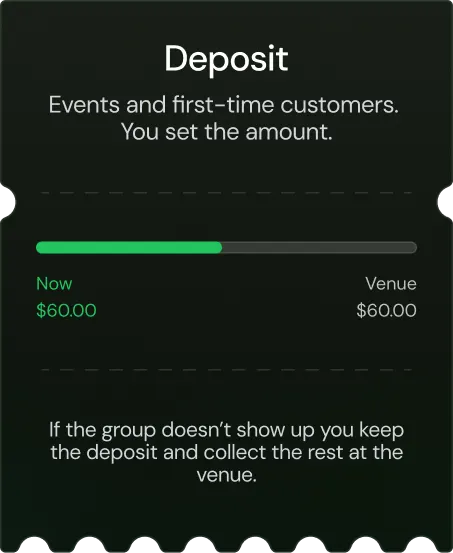
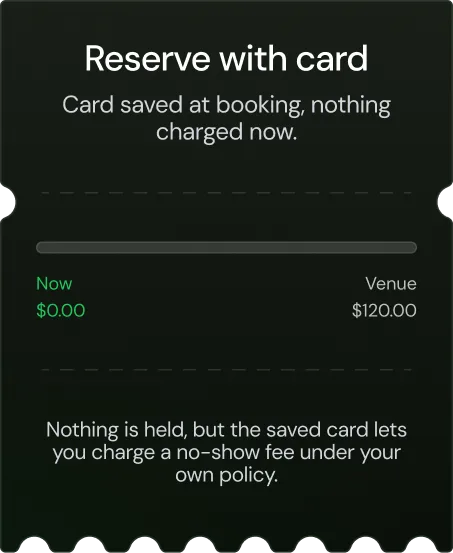
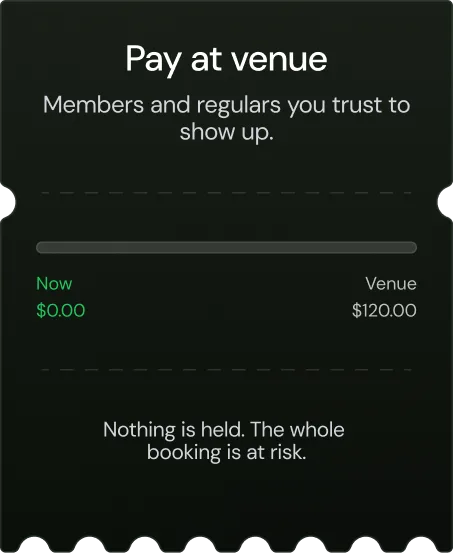
Example amounts. Deposit size and rules are yours.
Rules that protect the calendar.
Pricing, length and timing rules run on every booking, so the busy hours earn more and the quiet ones still fill.
Built for bays. Not haircuts.
Appointment software sells a person’s time in fixed slots. A simulator venue sells a room by the hour, to a group, at a price that changes through the day.
| Feature |  | Generic tools |
|---|---|---|
| Bay-based scheduling |  | — |
| Simulator memberships with hour banks | | — |
| Built for simulators | | — |
| Automated SMS confirmations | | Limited |
| 24/7 smart-lock door access | | — |
| Built-in payments | Stripe, Square, Clover, Helcim | Varies |
| Weekday utilization tracking | | — |
| Lapsed customer reactivation | | — |
| Setup time | 24 hours | Weeks |
Birdie at a glance.
The short version, for owners comparing booking systems.
Questions owners ask about booking.
How does pricing work for simulator bays?

You set rates per bay and by time of day: peak, off-peak and time-of-day rates, with optional surge (demand) pricing that raises rates automatically at busy times. Birdie can also suggest prices, which you review and apply in one click.
How long does it take a customer to book a bay?
Under 30 seconds on a phone: pick a bay and a time, choose the group size and add-ons, and pay. No app download is needed.
Can I take a deposit instead of full payment?
Yes. You set the rule per booking type: full payment, a deposit, reserve with card (the card is saved and nothing is charged now), or pay at venue.
Which payment processors does Birdie support?
Stripe, Square, Clover and Helcim. Payment runs inside the booking flow, with no redirect.
Are waivers built in?
Yes. Waivers and membership agreements are signed online, with versions. Customers sign as part of booking or from their customer portal, and every signature is tied to the waiver version the customer agreed to.
How should I handle minors?
If you allow players under 18, a parent or guardian must sign on their behalf.
What happens when a time is fully booked?
Birdie can keep a booking waitlist for full times.
See the rest of Birdie.
Each part of the platform has its own page.


See your booking flow, set up for your bays.
Free walkthrough. We configure your bays, pricing windows, add-ons and waiver step.
 Free walkthroughNo hard sales processWe handle setupLive in 24 hours